

DropSign Release Notes 1.03 – Fair Billing, UI-Upgrade & Adjustments

17. April 2026

|

DropSign

With our latest update, we've optimized both the user experience and billing – making it fairer, more flexible, and significantly more versatile in content delivery. The UI has also been redesigned, and additional features have been added to widgets and events.

Overview of the Release Notes

Stripe Billing – Now fair & error-free

  • Stripe integration updated to Version 83

  • Billing error corrected

  • New logic for billing period
    → The 30-day period only starts when a player has been actively used for at least 1 hour
    → No more double payments if the player is activated at the end of the month, for example
  • More transparent. More user-friendly. Fairer.

New event features

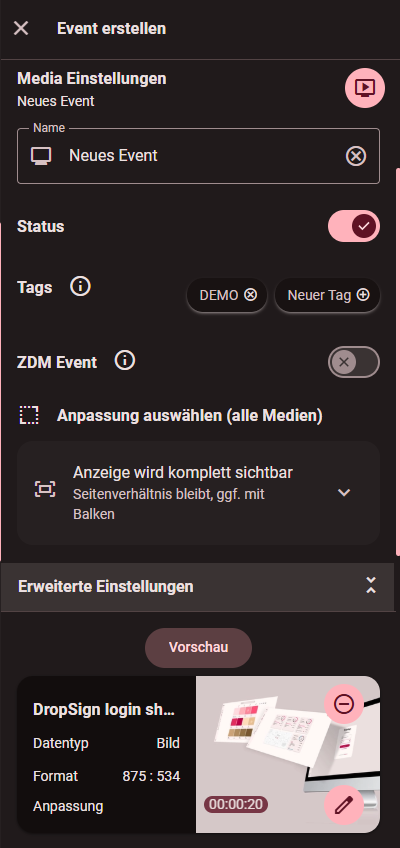
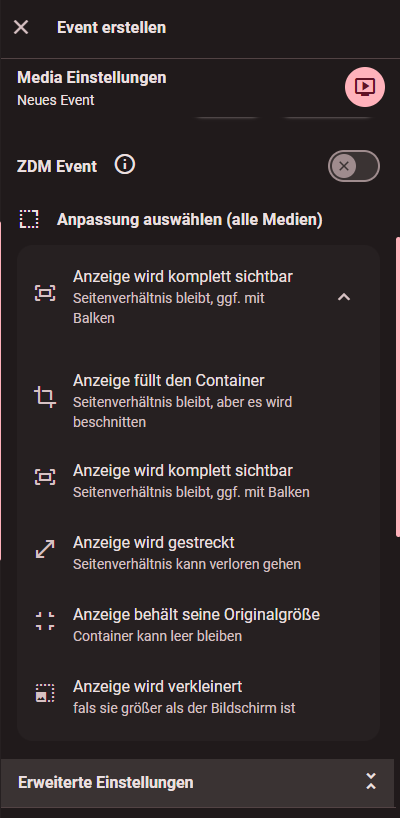
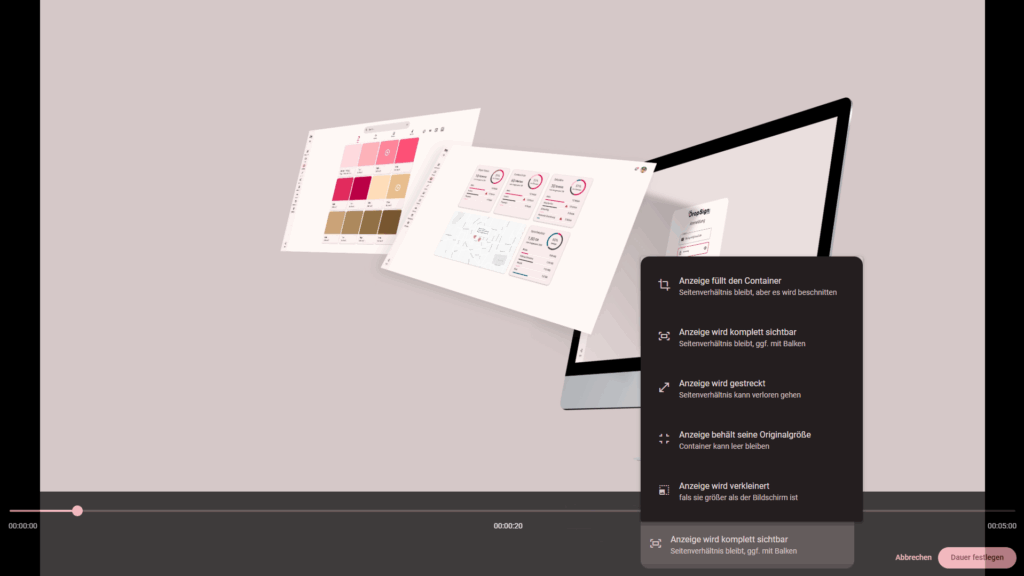
  • Events can now be adjusted more precisely
    → Content can be stretched, elongated, or flexibly scaled to optimally adapt to different display formats and resolutions

  • Playback Order
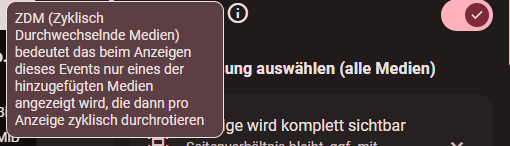
    → Events can optionally be played cyclically (ZDM Event) or one after the other.

Player volume control

New: A sound setting is now available for players. The volume can be centrally controlled and individually adjusted; ideal for different locations.

  • The volume control can be found in the player settings.


Widgets

You can now integrate even more content automatically:

  • TV streams (e.g., KiKA, etc.)

UI optimizations for better overview

The user interface has been modernized. Tables now appear more clearly structured, with rounded corners and an improved layout. Button sizes have been optimized to make the layout more user-friendly.
  • Revised player and content tables
    Rounded edges, modern look, clear structure

  • Improved workflow in content management

  • Size of Floating Action Buttons (FABs) adjusted

  • Player setup and dialog boxes have been redesigned to be more compact.

  • Hovering over info icons supplemented with additional information

Optimized media and event management

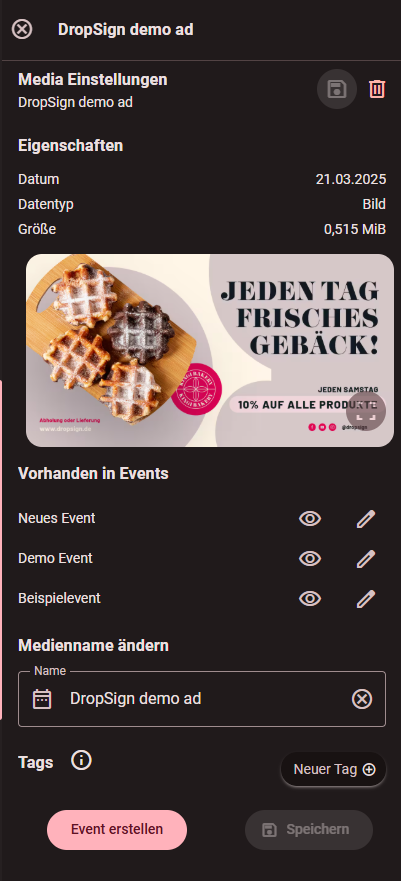
New: The media management system now shows in which events a media item is used. This allows for faster assignment, review, and targeted replacement of content.

More topics...
FAQ

What is DropSign?

DropSign is cloud-based software that allows you to easily plan, create, optimize, and dynamically adapt advertising content. Content can be delivered to multiple players simultaneously in a flash.

Who can use DropSign?

Whether you're an end customer, reseller, or freelancer, DropSign offers benefits for every type of customer. Learn more about our partner benefits at https://dropsign.de/partner.

What is included in the license?

The basic license includes all DropSign features (including 1 player, 50 GB media storage, and installation costs). Additional players can easily be added. DropSign only charges for the players you actively use. The subscription can be canceled at any time.

DropSign Support Center

If you have any questions or need assistance, our support team is happy to help.
You can reach us by email at support@dropsign.de und -
and by phone during our business hours.

Need help?